

FileImporter 是 SwiftUI 中用于从系统文件系统导入文件的标准接口。通常用于在用户点击按钮后,弹出一个系统的文件选择器来导入文件,并将这些文件以URL的形式交给应用处理。
基本用法
例如,视图添加 fileImporter 修饰符:
VStack {}
.fileImporter(
    isPresented: $showImporter,
    allowedContentTypes: [.json, .plainText],
    allowsMultipleSelection: false
) { result in
    // 处理选择结果
}
参数解析:
1、isPresented:Binding<Bool>,控制是否显示文件选择窗口。
2、allowedContentTypes:[UTType]类型,限制可选文件类型(如 .image, .pdf)。
常用的UTTpye:.plainText、.png、.image、.json等等文件类型。
3、allowsMultipleSelection:Bool类型,是否支持多选文件(默认 false)。
4、result:Result<[URL], Error> 或 Result<URL, Error>类型,用户选择结果或取消错误。
使用场景
1、选择文本并加载内容
VStack {
    Button("导入文件") {
        showImporter = true
    }
}
.fileImporter(
    isPresented: $showImporter,
    allowedContentTypes: [.plainText]
) { result in
    do {
        let selectedFile: URL = try result.get()

        // 沙盒权限权限请求
        guard selectedFile.startAccessingSecurityScopedResource() else {
            importedText = "无法访问文件权限"
            return
        }
        defer { selectedFile.stopAccessingSecurityScopedResource() }
        let data = try Data(contentsOf: selectedFile)
        if let content = String(data: data, encoding: .utf8) {
            importedText = content
        }
    } catch {
        importedText = "导入失败:\(error.localizedDescription)"
    }
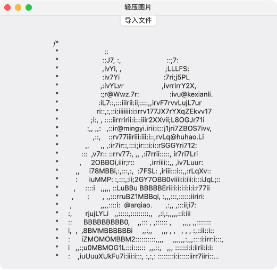
}
注意:在macOS和iOS的文件App场景下,fileImporter返回的URL往往是沙盒外资源。
因此,在读取前需要调用startAccessingSecurityScopedResource(),显式请求安全访问权限,访问完成后,再调用stopAccessingSecurityScopedResource(),停止安全访问权限。
// 沙盒权限权限请求
guard URL.startAccessingSecurityScopedResource() else {
    importedText = "无法访问文件权限"
    return
}
defer { URL.stopAccessingSecurityScopedResource() }这是系统级的沙盒规则,安全书签也涉及这类规则《macOS安全书签(Security-Scoped Bookmark)》。
总结
FileImporter是SwiftUI的文件导入修饰符,通常用于导入文件、文档、选择图片等导入场景。
用户可以浏览文件系统选择文件、支持过滤文件类型,返回的Result可以解析成选中文件的URL,通过请求安全访问权限使用。
如果是实现文档型App(编辑+保存),推荐用DocumentGroup。
FileImporter是 SwiftUI 的封装,底层等价于 macOS 的 NSOpenPanel 或 iOS 的 UIDocumentPickerViewController。